
It has been about six weeks since the Spring update and we have been heads-down shipping. Six version bumps later (v2.4.6 → v2.4.12), the smoking log has grown into something you can actually live in, your pipes can finally have more than one photo, and there is a lot of new polish across the cellar. Let us dig in.
The Smoking Log Grew Up
The Smoking Log got the most attention this cycle — new ways to log a bowl, two whole panels of analytics, and finer control over session times.
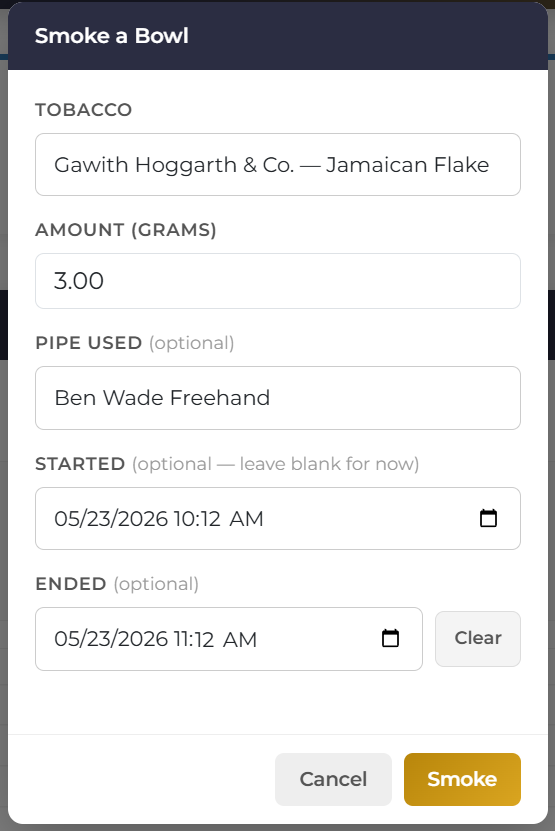
Smoke a Bowl Right from the Smoke Log
You no longer have to bounce over to your cellar just to log a session. The Smoke Log page now has a Smoke a Bowl button right at the top: pick a tobacco, set the grams, optionally pick a pipe, and it logs immediately. The dialog also has optional Started and Ended fields so you can capture session times the moment you log a bowl instead of going back to edit the row afterwards. Leave them blank and it’s tap-and-go like before. Fill them in and your session feeds straight into the Time Insights charts below.
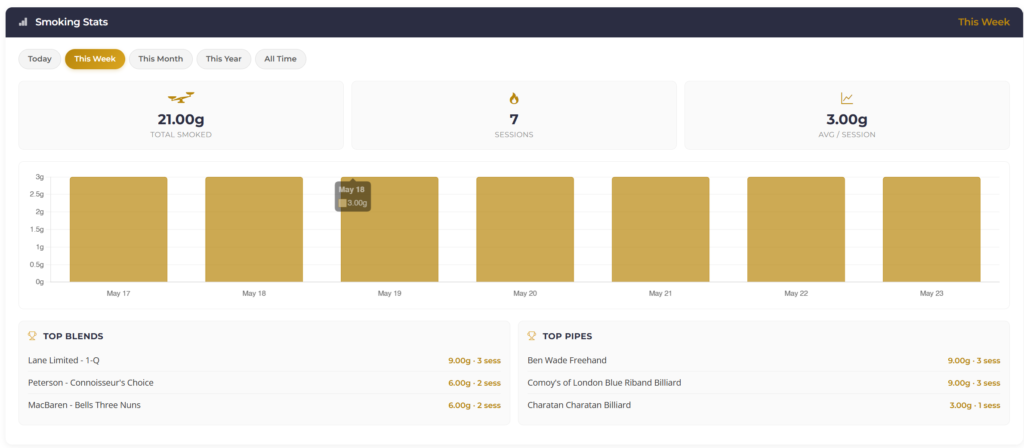
Smoking Stats Dashboard
A new panel on the Smoke Log page sums up your smoking activity for whatever window you pick. Switch between Today, This Week, This Month, This Year, and All Time to see total grams, total sessions, average per session, a bar chart of grams over time, and your top 5 blends and pipes for the period — the whole panel swaps instantly when you change windows.
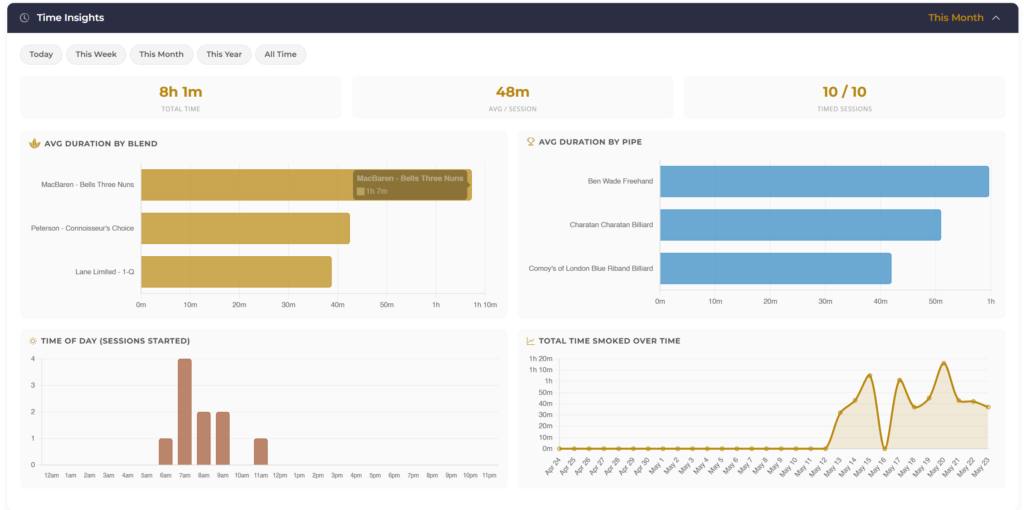
Time Insights Panel
A second, brand new collapsible panel shows four charts derived from your session start and end times: Avg Duration by Blend, Avg Duration by Pipe, Time of Day (a 24-hour histogram of when you start sessions — find out if you really are a morning smoker), and Total Time Smoked Over Time. Mini-stats above the grid track total time, average per session, and how many sessions have end times. Pair it with the new Started / Ended fields in the Smoke a Bowl dialog above and the charts fill in naturally as you log.
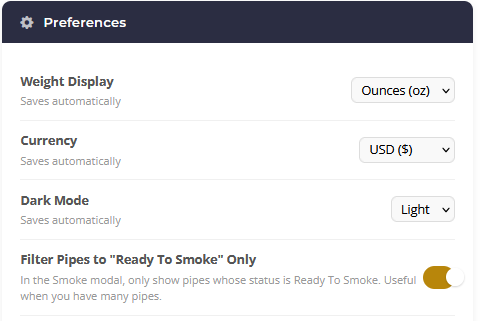
“Filter Pipes to Ready To Smoke Only” Preference
If your cellar has dozens of pipes, the Smoke a Bowl dialog’s pipe dropdown can get long. Flip this toggle on under Profile → Preferences and the dropdown narrows to just pipes whose status is Ready To Smoke. There’s an inline “Show all” link in the modal for the rare bowl that needs an out-of-rotation pipe.
Plus…
- Edit and delete sessions — fat-fingered the blend? Click the pencil icon on any row to change the blend, pipe, or times. When you change the blend, the grams move with it (added back to the old tobacco, deducted from the new). Or use the trash icon to delete a session and put the grams back on the shelf.
- Optional end times on existing sessions — record an end time on any session so the log shows a start–end range like “7:25 PM – 8:10 PM.” The Session History table also picked up a Sess Time column and is now sortable across every column.
My Pipes — “View By” Mode
The Pipes page now has a third view next to Card and List: tap View By and group your pipes by Status, Brand, Shape, Country, Material, Stem, or Year Made. Each group is collapsible with a count badge, and a single search box filters across every group at once.
Pipes Can Finally Have More Than One Photo
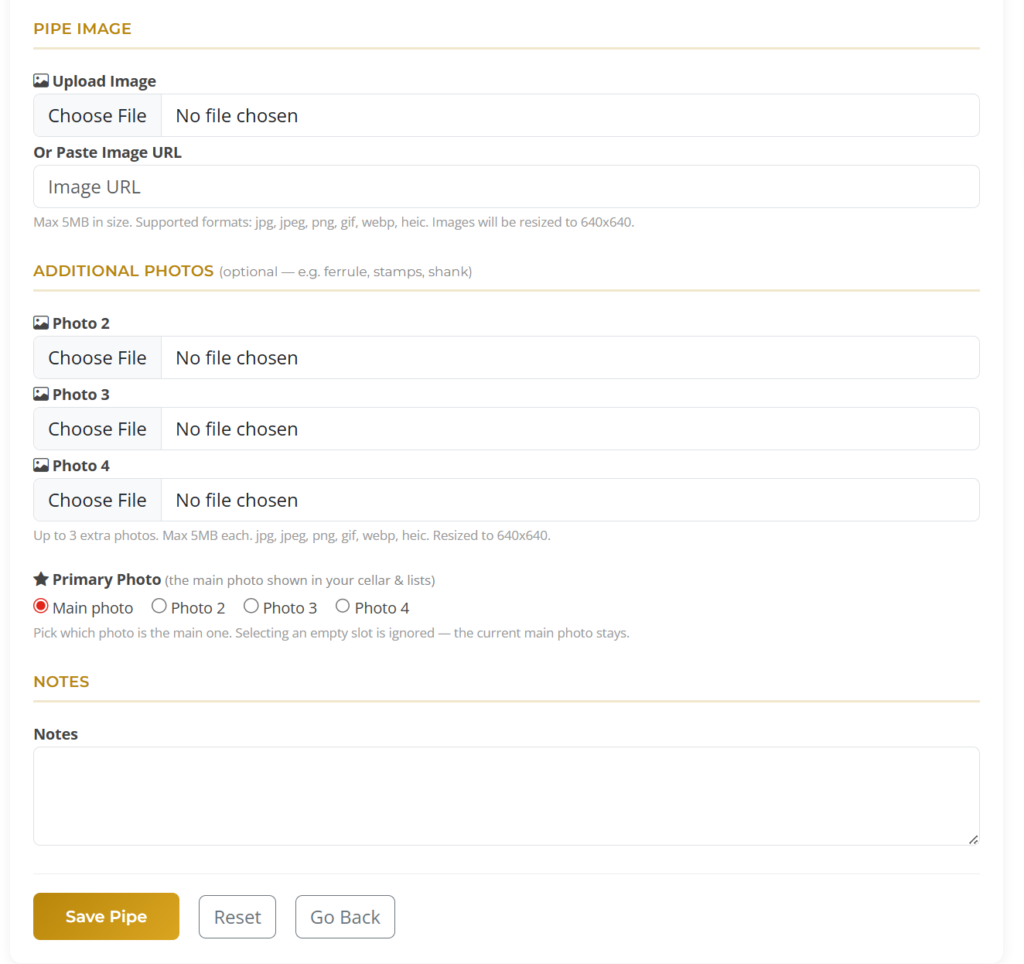
A pipe can now have up to four photos instead of one. When adding or editing a pipe you can upload three extra shots — perfect for the ferrule, stamps, shank, or any detail — and pick which one is the primary photo shown in your cellar and lists. The pipe detail page shows the primary photo with the extras as thumbnails, and clicking any photo (primary or extra) now opens an in-page lightbox so you can get a proper look.
More Pipe Taxonomy
We rounded out how a pipe can be described.
- New Stem Materials: Nylon (Medico’s full nylon-stem run) and Resin (Yeti Pipe’s Resin Project and other contemporary work).
- New Pipe Materials: Brylon and Other.
- Two brand-new fields when adding or editing a pipe: Accent Material (the ferrule / band / mount — what pipemakers call the “accent” in “accented with boxwood”) and Stem Fit / Mortise (the joint between stem and shank).
- New Pipe Status: Broken/Retired, for pipes you have decided to set aside.
Two new field guides went up under the Pipes section of the Help page to go with the new fields: an Accents (Ferrules & Mountings) guide and a Stem Fit / Mortise guide, each with concise definitions and the overlapping terms collectors, restorers, and pipemakers tend to use interchangeably.
Cellar Polish
- New Top Cuts chart in the Cellar Analytics panel — see how much Ribbon, Flake, Plug, Shag, etc. you actually hold.
- The Top 5 Brands, Top 5 Blends, and Top Blend Types charts (Cellar and Dashboard) now count tins instead of cellar entries. If you had six tins of one blend across a couple of entries, the chart now correctly shows six.
- Give or Finish just some of your tins — if a cellar entry has more than one tin, the Give and Finish actions ask how many and on what date. The rest stay where they were.
- More auto-fill from the catalog — picking a known blend on Add Tobacco now also seeds the Notes field and pre-fills the Source URL (only when those fields are still empty).
- Source URL field — paste the exact product link where you bought a tin and it shows up as a clickable link on the detail page.
- Tobacco Condition tracking — open tobacco now has a Condition field (Ready, Rehydrating, Dry) that tracks how long it has been in that state, with filters on both desktop and mobile.
New Profile Badges
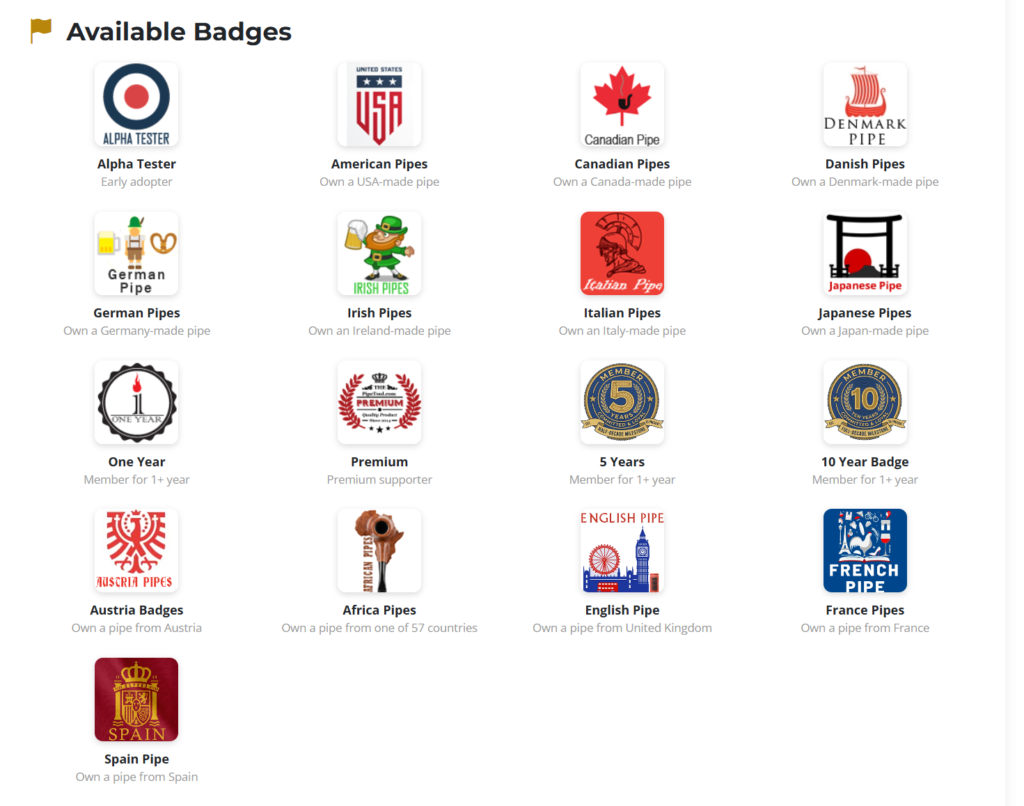
Seven new badges are live and will appear on your profile automatically when you qualify: Africa, Austria, England, France, and Spain pipe badges (each unlocks when you add a pipe from that country to your collection), plus tenure badges 5 Years and 10 Years for long-time members.
Quality of Life
- Help dropdown in the top nav — Help / Release Notes / Contact, each one click away from anywhere on the site.
- Auto-Logout preference — choose 15 minutes, 1 hour, 2 hours, or 4 hours of idle time before you are signed out. New accounts default to 15 minutes for security.
- Pipe-form dropdowns (Material, Finish, Stem Material, Stem Type, Status) now sort A–Z so you can actually find what you are looking for.
- Stem material lists across Add Pipe, View Pipe, CSV import/export, and profile filters were drifted (some files listed 9 options, some 12, some 6) — all ten code paths now reference an identical canonical list of 14 materials.
- Fixed the Smoke a Bowl popup being unreadable in dark mode.
- Fixed the “not enough tobacco” rejection that could block you from logging the last bowl of a nearly-empty tin (a rounding artifact between ounces and grams).
- Fixed cellar sorting by Brand or Blend so entries with a hover preview don’t clump at the top.
- Fixed the desktop Wish List (Save / Edit / Remove) and desktop Smoke a Bowl silently failing with an “Unauthorized” error — a session-bootstrap bug that survived a first patch and finally got nailed for real.
- Fixed mobile 2FA so a valid code no longer kicks you back to the login screen.
- Fixed mobile “Request Desktop Site” actually switching to the desktop layout.
- Fixed the Oldest Tobaccos chart using purchase date instead of manufacturer date — and rendering the age as “4y 8m” instead of “4.7 yrs” to match the per-row Age column.
- Fixed special characters (Rimboché, Crème brûlée) displaying mangled in blend search results.
- Plenty more on the Release Notes page.
Thanks
A huge amount of this cycle’s work came from your reports and suggestions in the contact form and survey. Keep them coming — the Help dropdown has a Contact link from anywhere on the site, and almost everything in the lists above started life as one of those messages.